
Download NXPowerLite Desktop – Free File Compression Tool for Windows, Mac, Android & iOS
Looking for a reliable, secure, and fast way to compress large files without losing quality? NXPowerLite Desktop is your go-to solution. This powerful compression software helps users reduce file sizes by up to 90%—perfect for emailing, sharing, or backing up documents, images, videos, and presentations.
Whether you're a student, professional, or remote worker, NXPowerLite Desktop simplifies file management with intelligent compression algorithms that work on almost any file format, including PDFs, Word docs, PowerPoint slides, Excel spreadsheets, JPEGs, and MP4s. The intuitive interface ensures even beginners can compress files in seconds. With automatic updates and cross-platform support, NXPowerLite Desktop is a must-have tool for anyone dealing with large digital files daily.
Why NXPowerLite Desktop Stands Out in File Compression
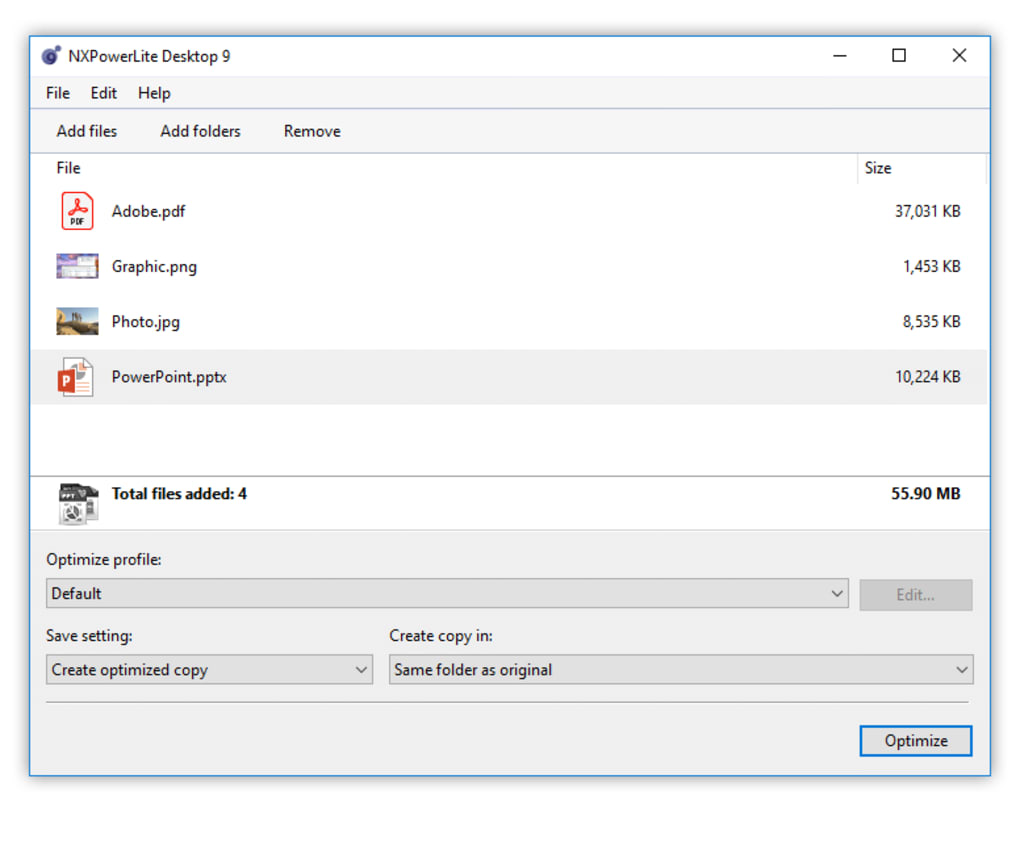
In today’s digital world, large file sizes can slow down workflows, consume storage space, and make email attachments impossible to send. That’s where NXPowerLite Desktop comes in—a smart, efficient, and user-friendly tool designed to shrink file sizes without compromising quality. Unlike basic ZIP tools that offer minimal compression, NXPowerLite uses advanced algorithms to analyze and optimize content at the file level. For example, it can compress a 10MB PDF to just 2MB, or reduce a 50MB PowerPoint presentation to under 10MB—without noticeable loss in clarity or functionality. One of the standout features is its ability to compress files that resist traditional compression methods. Many users struggle with high-resolution images or complex office documents that don’t respond well to standard tools. NXPowerLite Desktop tackles these challenges head-on by intelligently reprocessing the data within the file. It doesn’t just zip files—it re-encodes them using optimized formats, removes hidden metadata, and streamlines redundant content. This results in dramatically smaller files that remain fully editable and viewable. The software also supports batch processing, allowing you to compress multiple files at once. Whether you’re preparing a portfolio, sending a project to a client, or organizing your cloud storage, this feature saves hours of manual work. Plus, the real-time preview lets you see the compression ratio and file size reduction before applying changes. This transparency builds trust and gives users full control over their files. With automatic updates, NXPowerLite ensures you’re always using the latest version with improved performance and security patches.Seamless Installation & Simple Usage for All Skill Levels
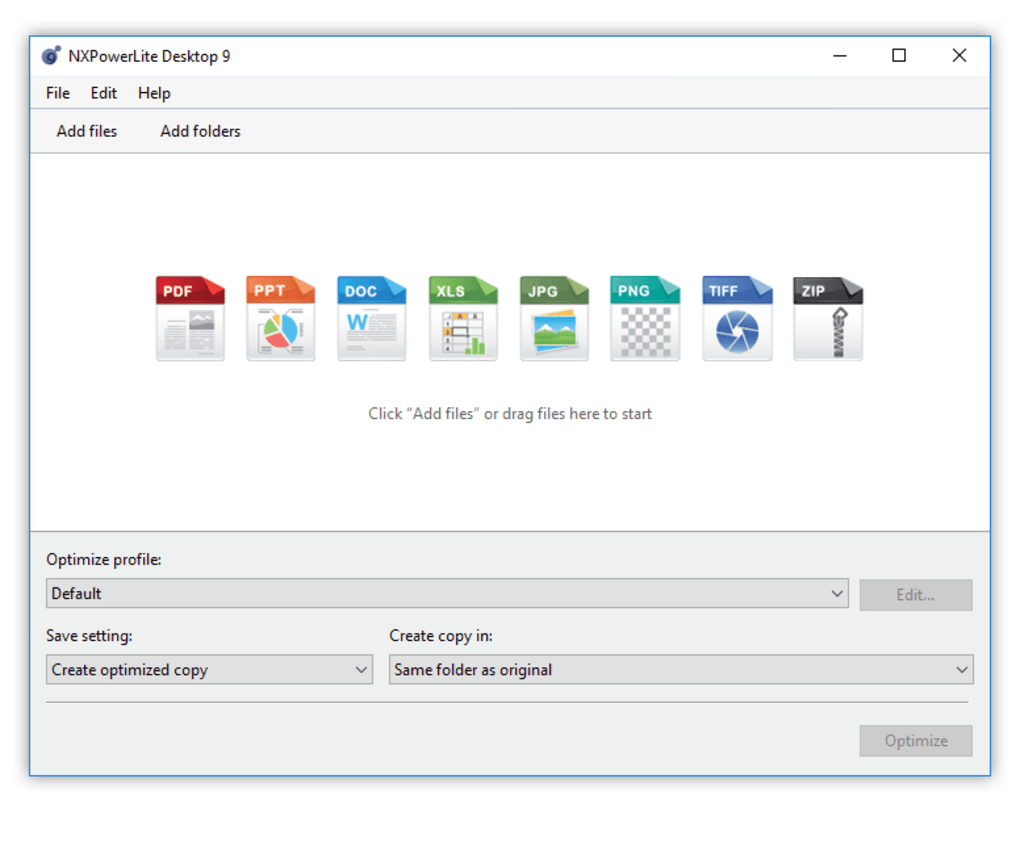
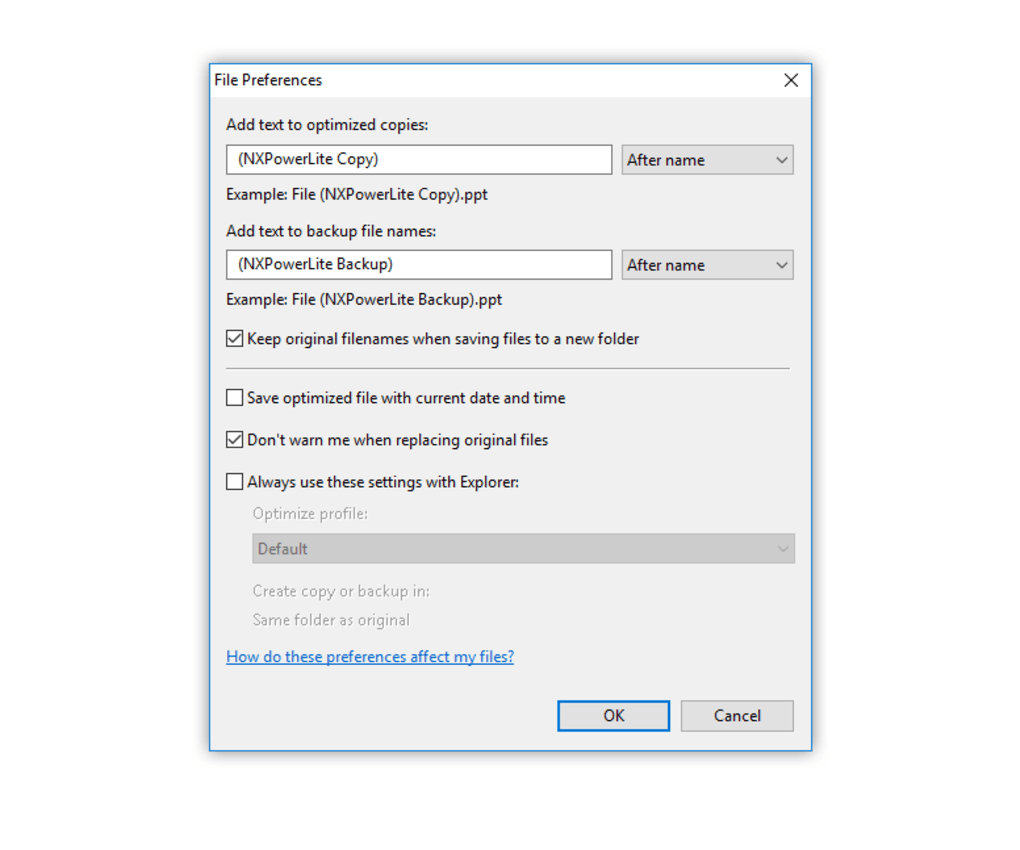
Getting started with NXPowerLite Desktop is quick and hassle-free. The installation process is straightforward, whether you're using a Windows PC, Mac, Android device, or iOS tablet. After downloading the installer from the official website, simply run the file and follow the on-screen prompts. The setup wizard guides you through each step, ensuring no configuration errors. Once installed, the application launches instantly, presenting a clean, minimalist interface that’s easy to navigate. To compress a file, simply drag and drop it into the NXPowerLite window, or use the “Add Files” button to browse your folders. The software automatically detects the file type and applies the optimal compression strategy. You can adjust settings such as compression level (standard, aggressive, or maximum) depending on your needs. For instance, if you need maximum size reduction for email, choose “Aggressive” mode. If you’re preserving original quality for a presentation, stick with “Standard.” For power users, NXPowerLite offers advanced options like custom output folders, file naming rules, and integration with file explorer context menus. Right-click any file and select “Compress with NXPowerLite” for instant access. This seamless integration enhances productivity and reduces friction in your daily workflow. The tool also supports command-line operations for automation, making it ideal for IT departments managing bulk file processing. All compression tasks are logged in the activity history, so you can track which files were processed, when, and how much space was saved. This feature is especially helpful for auditing or troubleshooting. With regular updates and a responsive support team, NXPowerLite Desktop ensures a smooth experience across all platforms.Full Compatibility Across Devices & Platforms
One of the biggest advantages of NXPowerLite Desktop is its broad compatibility. The software is available for Windows 10/11, macOS (Intel & Apple Silicon), Android (v8.0+), and iOS (v13+). This multi-platform support means you can compress files on your desktop, laptop, tablet, or smartphone—perfect for users who work across devices. Whether you're on a Windows workstation at the office, a MacBook at home, or an iPad during a meeting, NXPowerLite maintains consistent performance and results. On Windows and Mac, the desktop app delivers full functionality with no limitations. The native integration ensures fast processing and low system resource usage. On mobile devices, the app offers a streamlined but powerful interface optimized for touchscreens. You can import files from cloud services like Google Drive, Dropbox, or iCloud, compress them, and export them directly to your preferred location. The software supports a vast range of file formats, including:- PDF (including scanned documents)
- Microsoft Office files (Word, Excel, PowerPoint)
- Image formats (JPEG, PNG, TIFF, BMP)
- Video files (MP4, AVI, MOV)
- Archived files (ZIP, RAR)
- Raw camera files (CR2, NEF, ARW)
Pros & Cons: Is NXPowerLite Desktop Right for You?
Before downloading, it’s helpful to understand the strengths and limitations of NXPowerLite Desktop. Pros:- Reduces file sizes by up to 90% without quality loss
- Works on nearly all file types, including stubborn formats
- Simple drag-and-drop interface—no technical skills required
- Batch compression for multiple files at once
- Available for Windows, Mac, Android, and iOS
- Automatic updates ensure security and performance
- Preserves editability and metadata (optional)
- Free version has limited features and file size restrictions
- Advanced compression may slightly increase processing time
- Not ideal for highly encrypted or password-protected files
- Mobile version lacks some desktop-level customization
- Full version requires a paid subscription for unlimited use
Frequently Asked Questions (FAQ)
How does NXPowerLite Desktop compress files?
NXPowerLite uses intelligent reprocessing and format optimization instead of simple zipping. It analyzes the internal structure of files, removes redundant data, and re-encodes content using more efficient formats—resulting in much smaller files without quality loss.
Can I compress PDFs with NXPowerLite?
Yes, NXPowerLite excels at compressing PDFs, including scanned documents and multi-page files. It reduces file size by removing unnecessary metadata, optimizing images, and using efficient compression algorithms.
Is NXPowerLite Desktop safe to use?
Yes, NXPowerLite Desktop is secure and trusted by millions worldwide. It doesn’t upload your files to the cloud and operates entirely offline. All processing happens locally on your device.
Does NXPowerLite work on Mac and Windows?
Yes, the desktop version is fully compatible with both Windows 10/11 and macOS (Intel and Apple Silicon). It offers native performance on both platforms.
Can I use NXPowerLite on my Android or iOS device?
Yes, mobile versions are available for Android (v8.0+) and iOS (v13+). While the interface is simplified, it supports core compression tasks like reducing image and PDF sizes.







